The Portal
One dashboard for your entire device fleet.
The DevicePlus portal gives IT teams and employees a single place to manage devices, raise repair requests, and track every repair in real time — no spreadsheets, no email chains.
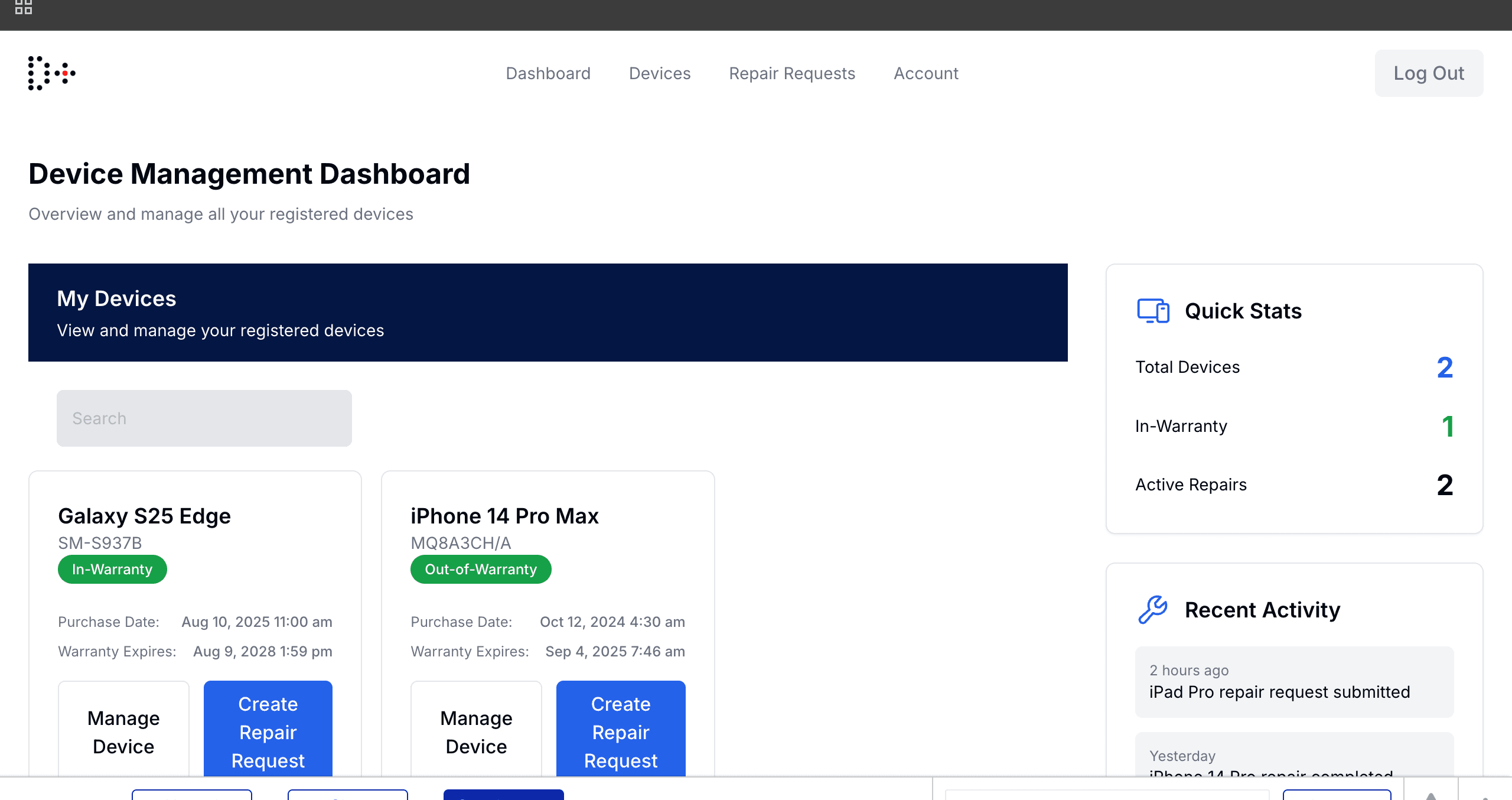
Device Management Dashboard — live fleet overview with Quick Stats and Recent Activity
Everything your IT team needs
Live device inventory
Every device in your fleet — model, serial number, warranty status, and owner — visible at a glance.
One-click repair requests
Employees submit a repair in under a minute. No emails, no phone calls, no chasing.
Real-time repair tracking
See exactly where your device is — submitted, collected, at repair center, or on its way back.
Warranty awareness
The portal flags in-warranty vs out-of-warranty automatically so repairs are handled correctly.
Role-based access
IT admins see the full fleet. Employees see only their own devices. Everyone gets what they need.
Full audit trail
Every request, status change, and action is logged. Perfect for compliance and accountability.
Raise and track repairs in one place
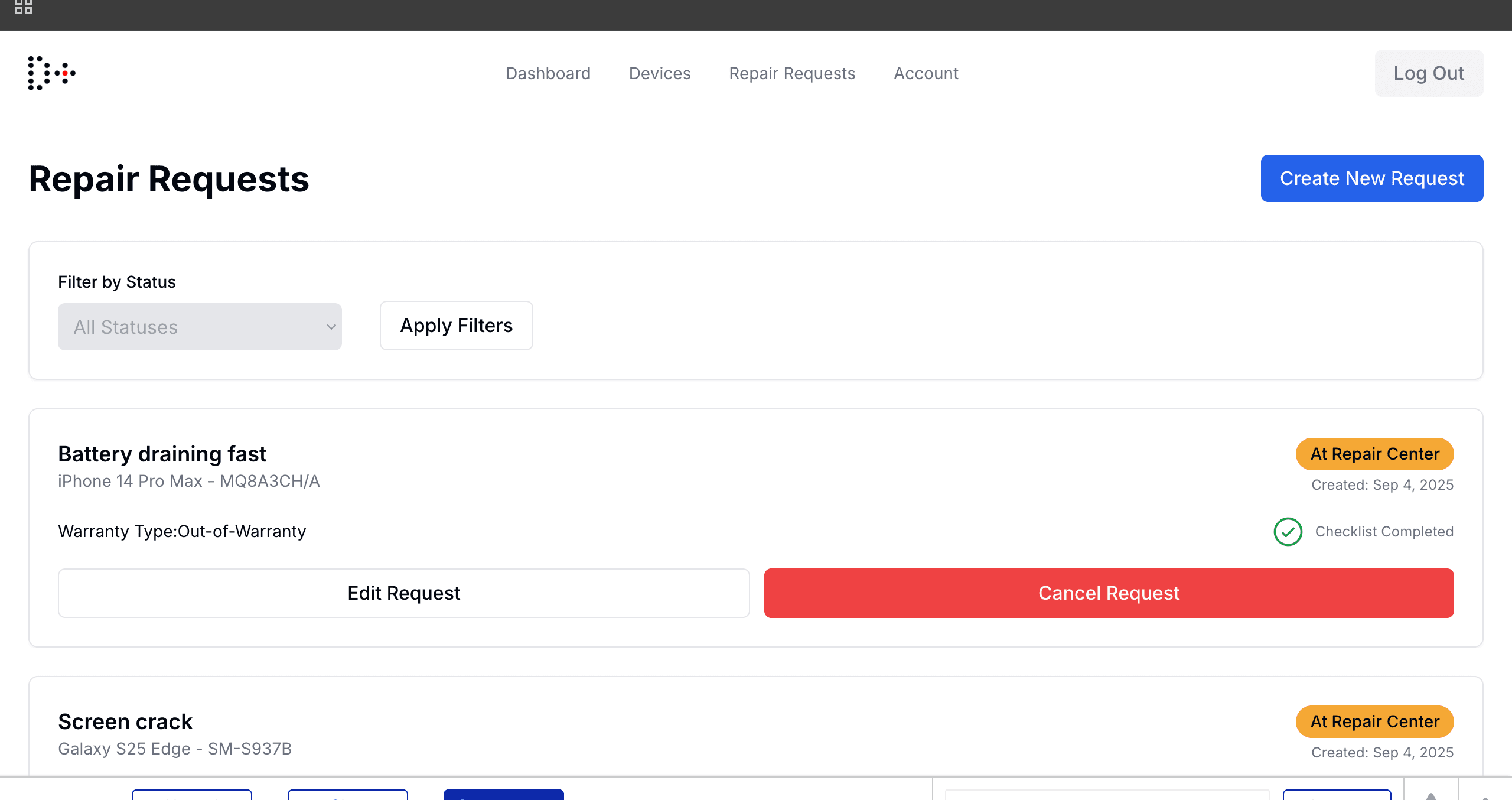
Employees submit repair requests directly from the portal — no IT ticket system required. Every request is tracked from submission through to return delivery, with live status visible to both the employee and IT admin.
- ✓Filter repairs by status (Submitted, Collected, At Repair Center, Completed)
- ✓See warranty type per repair — Standard or Extended
- ✓Edit or cancel requests before pickup
- ✓Checklist completion tracked automatically
Full device history, per device
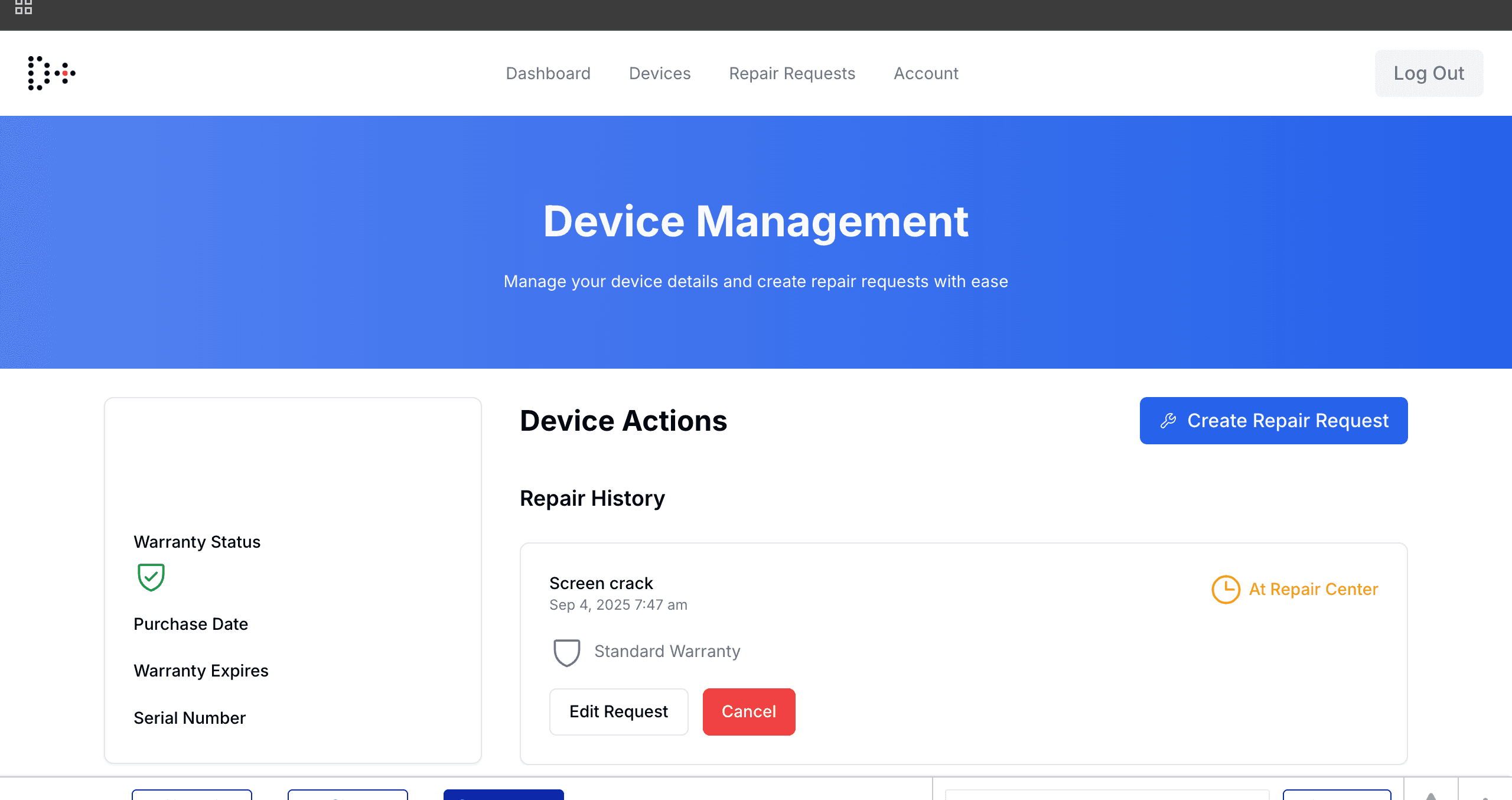
Each device has its own profile — warranty status, purchase date, serial number, and a complete repair history. IT managers can see at a glance which devices are in warranty and which have active repairs underway.
- ✓Warranty status flagged automatically (In-Warranty / Out-of-Warranty)
- ✓Full repair history per device
- ✓Create a new repair request directly from the device profile
- ✓Purchase date and warranty expiry tracked
How the portal works
Your fleet gets imported
We onboard your existing device pool — company-owned or BYOD. Devices appear in the portal immediately with full details.
Your team gets access
IT admins and employees receive portal invites. Admins manage the full fleet; employees see their own assigned devices.
Submit a repair request
Anyone can raise a repair in seconds — select the device, describe the issue, confirm warranty type. Done.
We handle logistics
DevicePlus coordinates courier pickup, delivery to our certified repair partner, and return — all tracked live.
Track it end to end
The portal updates at every stage. You always know the status without making a single phone call.
Ready to see it live?
Book a 20-minute demo and we'll walk you through the portal with your own device data.