The Portal
One dashboard for your entire device fleet.
The DevicePlus portal gives IT teams and employees a single place to manage devices, raise repair requests, and track every repair as it happens. That's the end of the spreadsheets and email chains.
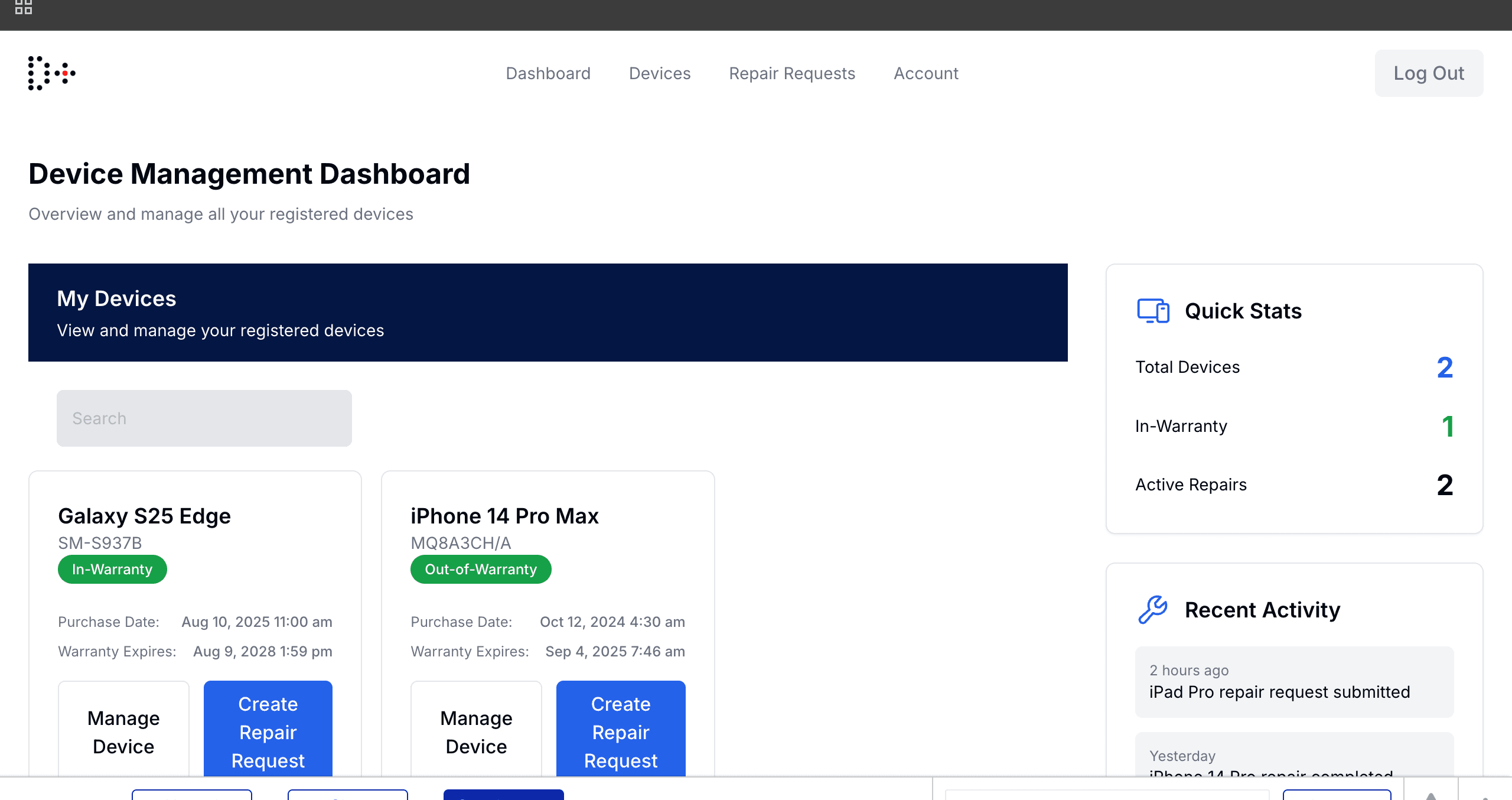
Device Management Dashboard: a live fleet overview with quick stats and recent activity
Live device inventory
See every device in your fleet at a glance: model, serial number, warranty status, and owner.
One-click repair requests
Employees submit a repair in under a minute, without emails, phone calls, or chasing anyone down.
Real-time repair tracking
See exactly where your device is: submitted, collected, at the repair center, or on its way back. Share a public status link with device owners so they never have to ask.
Warranty awareness
The portal flags in-warranty vs out-of-warranty automatically so repairs are handled correctly. Receive 30/60/90-day expiry warnings before warranties lapse.
Role-based access
IT admins see the full fleet. Employees see only their own devices. Everyone gets what they need.
Full audit trail
Every request, cost approval, status change, and admin action is logged, ready for compliance reviews and SOC 2 audits.
Raise and track repairs in one place
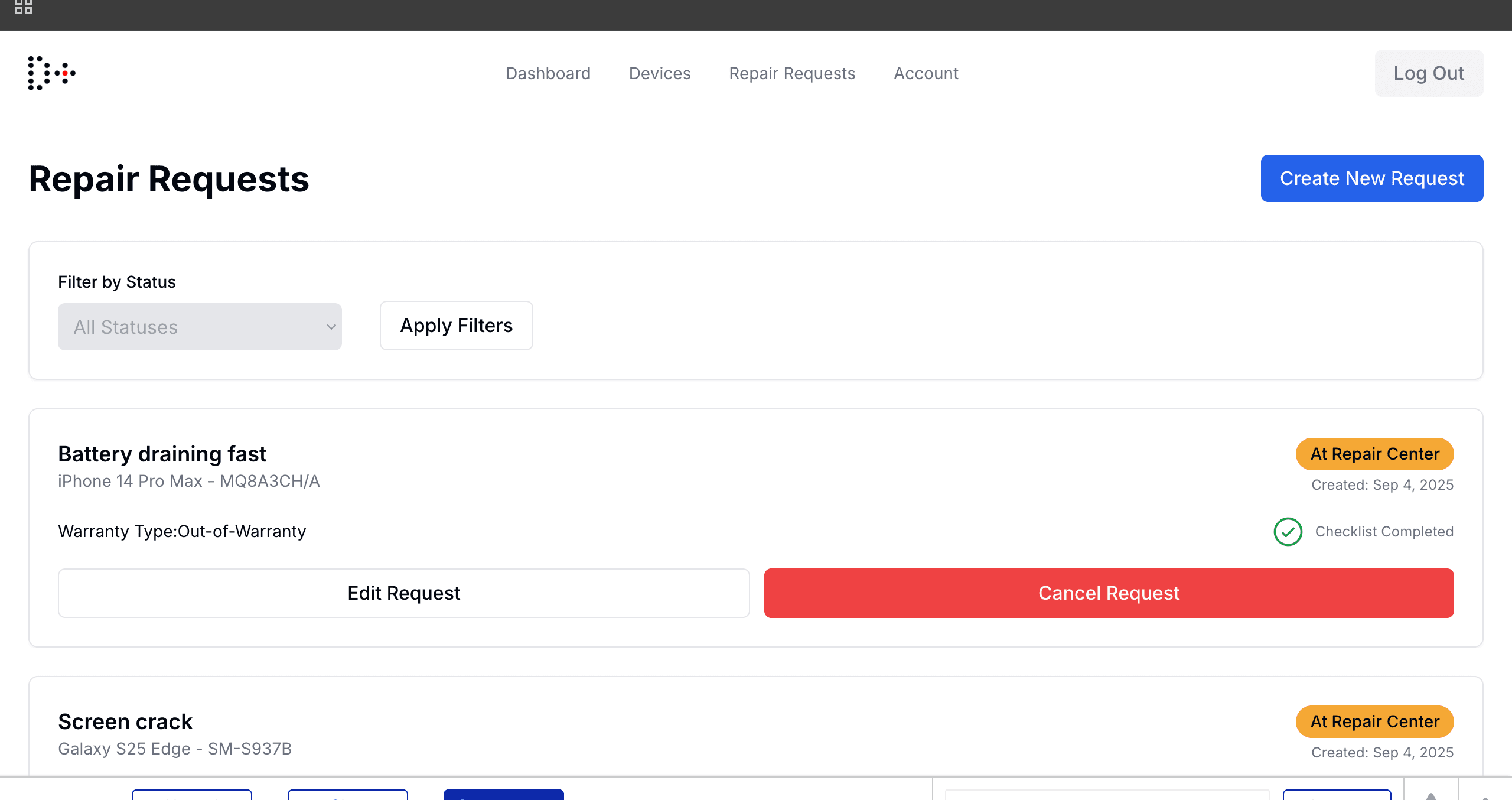
Employees submit repair requests directly from the portal, with no IT ticket system in the way. Every request is tracked from submission through to return delivery, and both the employee and the IT admin can see the live status.
- Filter repairs by status (Submitted, Collected, At Repair Center, Completed)
- Cost approval workflow: org admins approve out-of-warranty quotes directly from the portal
- Device owners automatically notified by email at every status change
- Choose GLS drop-off or office pick-up collection at request submission
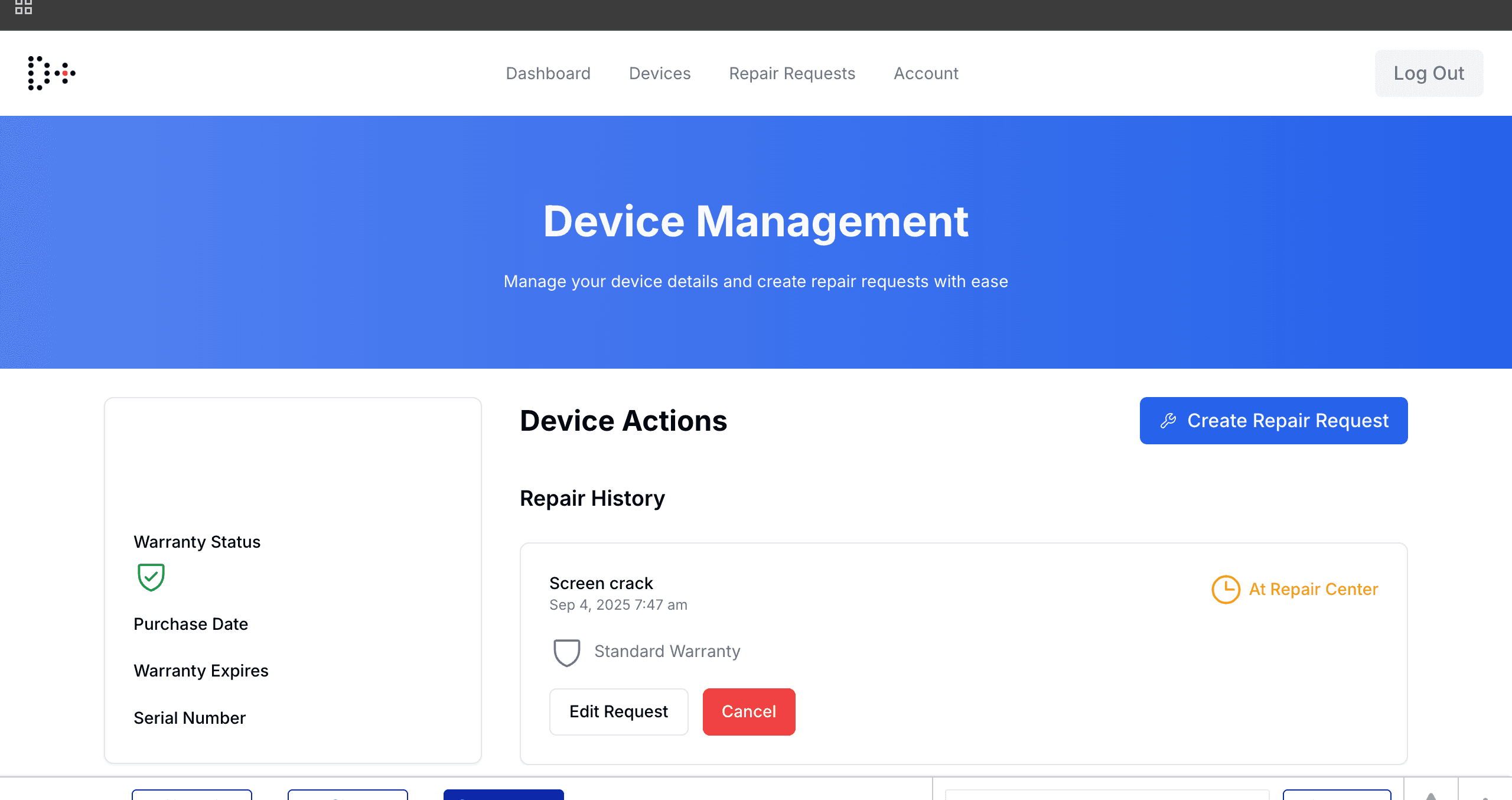
Full device history, per device
Each device has its own profile with warranty status, purchase date, serial number, and a complete repair history. IT managers can see at a glance which devices are in warranty and which have repairs underway.
- Warranty status flagged automatically (In-Warranty / Out-of-Warranty) with expiry alerts
- Full device lifecycle timeline: notes, retirements, assignments, and repairs in one thread
- Create a new repair request directly from the device profile
- Intune sync: OS version and compliance state visible per device
How the portal works
Five steps. Zero confusion.
Your fleet gets imported
We onboard your existing device pool, company-owned or BYOD. Devices show up in the portal right away with full details.
Your team gets access
IT admins and employees receive portal invites. Admins manage the full fleet; employees see their own assigned devices.
Submit a repair request
Anyone can raise a repair in seconds: pick the device, describe the issue, confirm the warranty type, done.
We handle logistics
DevicePlus coordinates courier pickup, delivery to our certified repair partner, and return, all tracked live.
Track it end to end
The portal updates at every stage. You always know the status without making a single phone call.
Ready to see it live?
Book a 20-minute demo and we'll walk you through the portal with your own device data.